
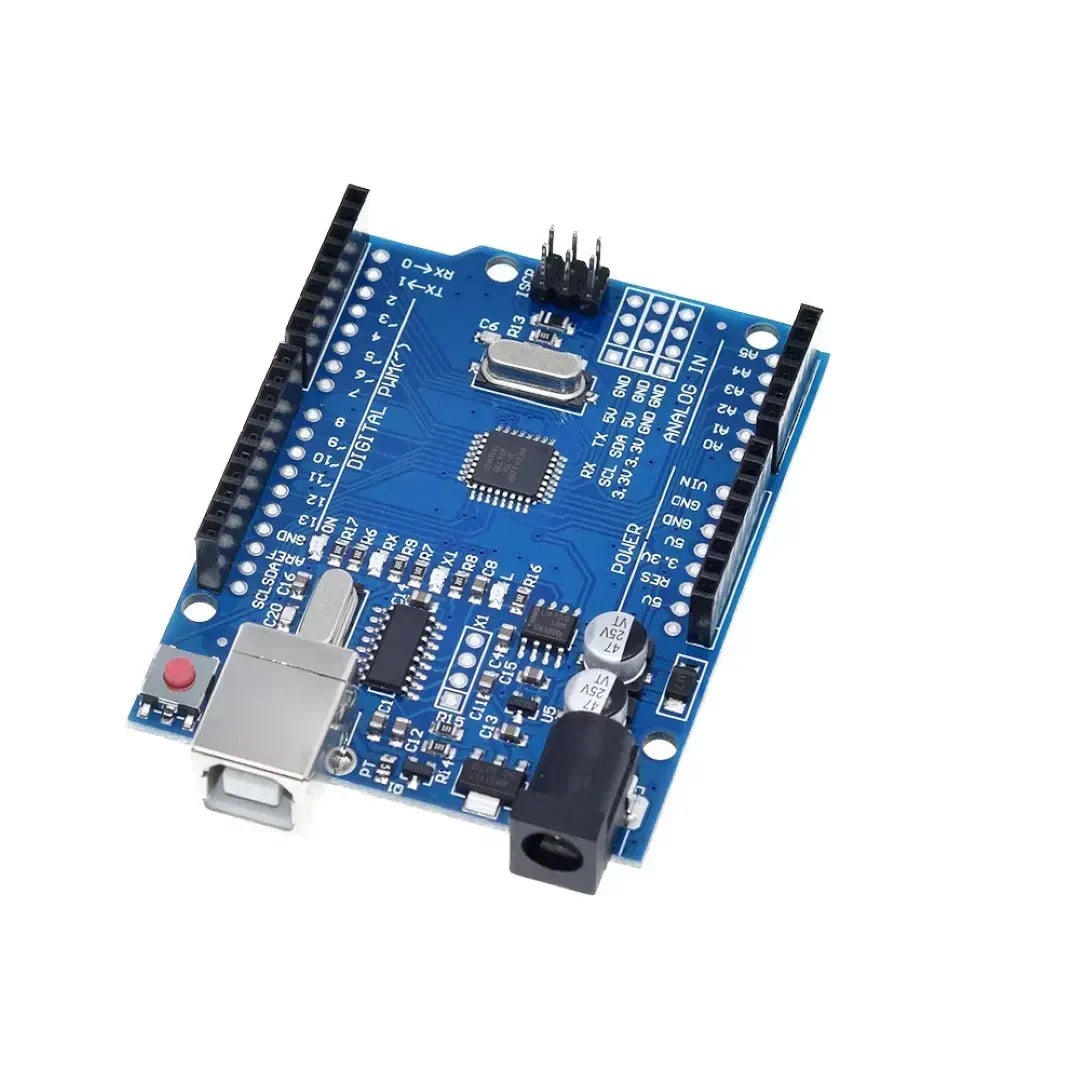
Zastosowanie programowania Arduino Struktury kontrolne jak na przykład Jeśli, dla, while i przełącz obudowę kontrolować podejmowanie decyzji i pętle w szkicu. Struktury te pozwalają Arduino Aby odpowiedzieć na warunki, powtórz zadania i wykonywanie różnych bloków kodu w oparciu o dane wejściowe.
1. Jeśli instrukcja (wykonanie warunkowe)
. If oświadczenie służy do wykonania bloku kodu Tylko wtedy, gdy spełniony jest określony warunek.
Składnia
if (condition) {
   // Code to execute if condition is true
}
Przykład: Włączenie diody LED w oparciu o przycisk Naciśnij
const int buttonPin = 2;  // Button connected to pin 2
const int ledPin = 13;    // LED connected to pin 13

void setup() {
    pinMode(buttonPin, INPUT);
    pinMode(ledPin, OUTPUT);
}

void loop() {
    int buttonState = digitalRead(buttonPin);  // Read button state

    if (buttonState == HIGH) {
        digitalWrite(ledPin, HIGH); // Turn LED on if button is pressed
    } else {
        digitalWrite(ledPin, LOW);  // Turn LED off otherwise
    }
}
Oświadczenie IF-ELSE
if (temperature > 30) {
    Serial.println("It's too hot!");
} else {
    Serial.println("Temperature is normal.");
}
IF-ELSE IF IF
if (temperature > 30) {
    Serial.println("It's too hot!");
} else if (temperature < 10) {
    Serial.println("It's too cold!");
} else {
    Serial.println("Temperature is comfortable.");
}
2. W przypadku pętli (powtarzanie zadań ustalona liczba razy)
A do pętli uruchamia blok kodu stała liczba razy. Jest powszechnie używany iterowanie tablic lub kontrolowanie powtarzających się zadań.
Składnia
for (initialization; condition; increment) {
   // Code to execute in each iteration
}
Przykład: Mruganie diody LED 5 razy
const int ledPin = 13;

void setup() {
    pinMode(ledPin, OUTPUT);
}

void loop() {
    for (int i = 0; i < 5; i++) { // Loop runs 5 times
        digitalWrite(ledPin, HIGH);  // Turn LED on
        delay(500);  // Wait 500 ms
        digitalWrite(ledPin, LOW);   // Turn LED off
        delay(500);
    }
    delay(2000); // Pause before repeating
}
Przykład: bieganie przez tablicę
int numbers[] = {1, 2, 3, 4, 5};

void setup() {
    Serial.begin(9600);
}

void loop() {
    for (int i = 0; i < 5; i++) {
        Serial.println(numbers[i]);  // Print each number in the array
    }
    delay(2000);
}
3. Podczas pętli (powtarzanie do spełnienia warunku)
A podczas pętli uruchamia blok kodu Tak długo, jak określony warunek pozostaje prawdziwy.
Składnia
while (condition) {
   // Code to execute while the condition is true
}
Przykład: Czekam na przycisk Naciśnij
const int buttonPin = 2;

void setup() {
    pinMode(buttonPin, INPUT);
    Serial.begin(9600);
}

void loop() {
    Serial.println("Waiting for button press...");

    while (digitalRead(buttonPin) == LOW) {
        // Stay in loop until button is pressed
    }

    Serial.println("Button pressed!");
}
Przykład: licznik odliczania
int count = 10;

void setup() {
    Serial.begin(9600);
}

void loop() {
    while (count > 0) {
        Serial.print("Countdown: ");
        Serial.println(count);
        count--;
        delay(1000);
    }
    Serial.println("Liftoff!");
    delay(5000); // Restart countdown after delay
    count = 10;  // Reset count
}
4. Obudowa przełącznika (wydajne obsługę wielu warunków)
A Switch Case Instrukcja jest używany, kiedy Należy sprawdzić wiele warunków, czyniąc to alternatywą IF-ELSE IF-ELSE więzy.
Składnia
switch (variable) {
    case value1:
        // Code to execute if variable == value1
        break;
    case value2:
        // Code to execute if variable == value2
        break;
    default:
        // Code to execute if none of the cases match
}
Przykład: kontrolowanie diody LED za pomocą przełącznika obrotowego
const int ledPin = 13;
int mode = 1;  // Example mode variable

void setup() {
    pinMode(ledPin, OUTPUT);
    Serial.begin(9600);
}

void loop() {
    switch (mode) {
        case 1:
            Serial.println("Mode 1: LED ON");
            digitalWrite(ledPin, HIGH);
            break;
        case 2:
            Serial.println("Mode 2: LED BLINKING");
            digitalWrite(ledPin, HIGH);
            delay(500);
            digitalWrite(ledPin, LOW);
            delay(500);
            break;
        case 3:
            Serial.println("Mode 3: LED OFF");
            digitalWrite(ledPin, LOW);
            break;
        default:
            Serial.println("Invalid Mode");
            break;
    }
}
Przykład: Używanie przycisku do przełączania trybów
const int buttonPin = 2;
int mode = 1;

void setup() {
    pinMode(buttonPin, INPUT);
    Serial.begin(9600);
}

void loop() {
    if (digitalRead(buttonPin) == HIGH) {
        mode++;
        if (mode > 3) mode = 1;  // Reset mode to 1 if it exceeds 3
        delay(500);  // Debounce delay
    }

    switch (mode) {
        case 1:
            Serial.println("Mode 1: Low Power Mode");
            break;
        case 2:
            Serial.println("Mode 2: Normal Mode");
            break;
        case 3:
            Serial.println("Mode 3: High Performance Mode");
            break;
        default:
            Serial.println("Invalid Mode");
            break;
    }
}
Wniosek
- Jeśli stwierdzenia Zezwalaj na wykonanie warunkowe na podstawie odczytów czujników lub naciśnięć przycisków.
- dla pętli są przydatne do powtarzających się zadań o znanej liczbie, takich jak miganie diody LED.
- podczas pętli Wykonaj kod w sposób ciągły, aż do spełnienia określonego warunku.
- Przełącz instrukcje spraw Uprościć podejmowanie decyzji podczas wydajnego obsługi wielu warunków.
Te struktury Ulepsz programowanie Arduino Ułatwiając zarządzanie pętlami, warunkami i kontrolą urządzenia. 🚀


















1 komentarz
If Arduino programming leverages fundamental control structures—**`if`, *`for`, *`while`, and *`switch`/`case`—not as abstract syntax, but as real-time mechanisms to interpret sensor data, drive actuators, and respond dynamically to the physical world, then how might this reflect the essence of embedded computing? Unlike desktop programs that process static data, an Arduino sketch lives in constant dialogue with its environment: a `while` loop may wait for a button press, an `if` statement might trigger an LED at a temperature threshold, and a `for` loop could choreograph a servo sweep. These structures become the *nervous system** of a physical device—translating logic into action, turning code into behavior, and revealing that even the simplest control flow can animate matter when coupled with hardware. In this context, programming isn’t just about algorithms; it’s about embodied decision-making, where every conditional and loop shapes how a machine perceives and acts upon reality.
dte