
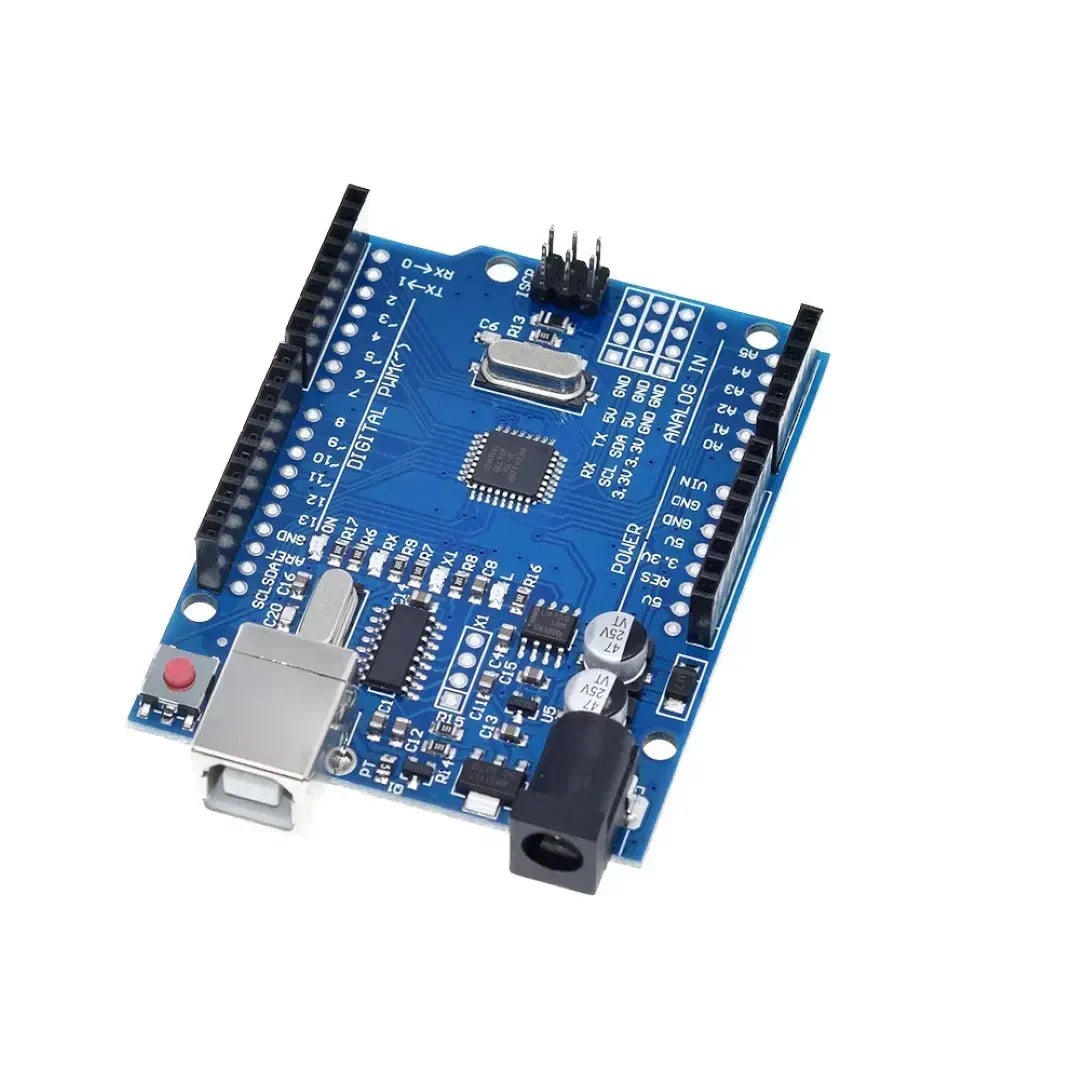
การเขียนโปรแกรม Arduino ใช้ โครงสร้างควบคุม เช่น ถ้าในขณะที่และเปลี่ยนเคส เพื่อควบคุมการตัดสินใจและลูปในร่าง โครงสร้างเหล่านี้อนุญาต Arduino เพื่อตอบสนองต่อเงื่อนไขให้ทำซ้ำงานและดำเนินการบล็อกที่แตกต่างกันของรหัสตามอินพุต
1. ถ้าคำสั่ง (การดำเนินการตามเงื่อนไข)
ที่ ถ้าแถลงการณ์ ใช้เพื่อเรียกใช้บล็อกของรหัส เฉพาะในกรณีที่มีเงื่อนไขที่ระบุ.
ไวยากรณ์
if (condition) {
   // Code to execute if condition is true
}
ตัวอย่าง: การเปิด LED ตามการกดปุ่ม
const int buttonPin = 2;  // Button connected to pin 2
const int ledPin = 13;    // LED connected to pin 13

void setup() {
    pinMode(buttonPin, INPUT);
    pinMode(ledPin, OUTPUT);
}

void loop() {
    int buttonState = digitalRead(buttonPin);  // Read button state

    if (buttonState == HIGH) {
        digitalWrite(ledPin, HIGH); // Turn LED on if button is pressed
    } else {
        digitalWrite(ledPin, LOW);  // Turn LED off otherwise
    }
}
คำสั่ง if-else
if (temperature > 30) {
    Serial.println("It's too hot!");
} else {
    Serial.println("Temperature is normal.");
}
if-else ถ้าคำสั่ง
if (temperature > 30) {
    Serial.println("It's too hot!");
} else if (temperature < 10) {
    Serial.println("It's too cold!");
} else {
    Serial.println("Temperature is comfortable.");
}
2. สำหรับลูป (งานซ้ำจำนวนครั้งที่คงที่)
อัน สำหรับลูป รันบล็อกของรหัส จำนวนครั้งที่แน่นอน- มันใช้กันทั่วไปสำหรับ ทำซ้ำอาร์เรย์หรือควบคุมงานซ้ำ ๆ.
ไวยากรณ์
for (initialization; condition; increment) {
   // Code to execute in each iteration
}
ตัวอย่าง: กระพริบ LED 5 ครั้ง
const int ledPin = 13;

void setup() {
    pinMode(ledPin, OUTPUT);
}

void loop() {
    for (int i = 0; i < 5; i++) { // Loop runs 5 times
        digitalWrite(ledPin, HIGH);  // Turn LED on
        delay(500);  // Wait 500 ms
        digitalWrite(ledPin, LOW);   // Turn LED off
        delay(500);
    }
    delay(2000); // Pause before repeating
}
ตัวอย่าง: รันผ่านอาร์เรย์
int numbers[] = {1, 2, 3, 4, 5};

void setup() {
    Serial.begin(9600);
}

void loop() {
    for (int i = 0; i < 5; i++) {
        Serial.println(numbers[i]);  // Print each number in the array
    }
    delay(2000);
}
3. ในขณะที่วนซ้ำ (ซ้ำจนกว่าจะมีเงื่อนไข)
อัน ในขณะที่ลูป รันบล็อกของรหัส ตราบใดที่เงื่อนไขที่ระบุยังคงเป็นจริง.
ไวยากรณ์
while (condition) {
   // Code to execute while the condition is true
}
ตัวอย่าง: รอปุ่มกด
const int buttonPin = 2;

void setup() {
    pinMode(buttonPin, INPUT);
    Serial.begin(9600);
}

void loop() {
    Serial.println("Waiting for button press...");

    while (digitalRead(buttonPin) == LOW) {
        // Stay in loop until button is pressed
    }

    Serial.println("Button pressed!");
}
ตัวอย่าง: ตัวจับเวลานับถอยหลัง
int count = 10;

void setup() {
    Serial.begin(9600);
}

void loop() {
    while (count > 0) {
        Serial.print("Countdown: ");
        Serial.println(count);
        count--;
        delay(1000);
    }
    Serial.println("Liftoff!");
    delay(5000); // Restart countdown after delay
    count = 10;  // Reset count
}
4. เคสสวิตช์ (จัดการหลายเงื่อนไขได้อย่างมีประสิทธิภาพ)
อัน คำสั่งเปลี่ยนกรณี ใช้เมื่อ ต้องมีการตรวจสอบหลายเงื่อนไขทำให้เป็นทางเลือกในการ if-else if-else โซ่
ไวยากรณ์
switch (variable) {
    case value1:
        // Code to execute if variable == value1
        break;
    case value2:
        // Code to execute if variable == value2
        break;
    default:
        // Code to execute if none of the cases match
}
ตัวอย่าง: การควบคุม LED ด้วยสวิตช์โรตารี่
const int ledPin = 13;
int mode = 1;  // Example mode variable

void setup() {
    pinMode(ledPin, OUTPUT);
    Serial.begin(9600);
}

void loop() {
    switch (mode) {
        case 1:
            Serial.println("Mode 1: LED ON");
            digitalWrite(ledPin, HIGH);
            break;
        case 2:
            Serial.println("Mode 2: LED BLINKING");
            digitalWrite(ledPin, HIGH);
            delay(500);
            digitalWrite(ledPin, LOW);
            delay(500);
            break;
        case 3:
            Serial.println("Mode 3: LED OFF");
            digitalWrite(ledPin, LOW);
            break;
        default:
            Serial.println("Invalid Mode");
            break;
    }
}
ตัวอย่าง: การใช้ปุ่มเพื่อวนรอบโหมด
const int buttonPin = 2;
int mode = 1;

void setup() {
    pinMode(buttonPin, INPUT);
    Serial.begin(9600);
}

void loop() {
    if (digitalRead(buttonPin) == HIGH) {
        mode++;
        if (mode > 3) mode = 1;  // Reset mode to 1 if it exceeds 3
        delay(500);  // Debounce delay
    }

    switch (mode) {
        case 1:
            Serial.println("Mode 1: Low Power Mode");
            break;
        case 2:
            Serial.println("Mode 2: Normal Mode");
            break;
        case 3:
            Serial.println("Mode 3: High Performance Mode");
            break;
        default:
            Serial.println("Invalid Mode");
            break;
    }
}
บทสรุป
- ถ้างบ อนุญาตให้ดำเนินการตามเงื่อนไขตามการอ่านเซ็นเซอร์หรือกดปุ่ม
- สำหรับลูป มีประโยชน์สำหรับงานซ้ำ ๆ ที่มีจำนวนที่รู้จักเช่นกระพริบ LED
- ในขณะที่ลูป เรียกใช้งานรหัสอย่างต่อเนื่องจนกว่าจะมีเงื่อนไขเฉพาะ
- สลับคำสั่งเคส ทำให้การตัดสินใจง่ายขึ้นเมื่อจัดการหลายเงื่อนไขได้อย่างมีประสิทธิภาพ
โครงสร้างเหล่านี้ เพิ่มการเขียนโปรแกรม Arduino โดยทำให้ง่ายต่อการจัดการลูปเงื่อนไขและการควบคุมอุปกรณ์ 🚀
























1 ความคิดเห็น
If Arduino programming leverages fundamental control structures—**`if`, *`for`, *`while`, and *`switch`/`case`—not as abstract syntax, but as real-time mechanisms to interpret sensor data, drive actuators, and respond dynamically to the physical world, then how might this reflect the essence of embedded computing? Unlike desktop programs that process static data, an Arduino sketch lives in constant dialogue with its environment: a `while` loop may wait for a button press, an `if` statement might trigger an LED at a temperature threshold, and a `for` loop could choreograph a servo sweep. These structures become the *nervous system** of a physical device—translating logic into action, turning code into behavior, and revealing that even the simplest control flow can animate matter when coupled with hardware. In this context, programming isn’t just about algorithms; it’s about embodied decision-making, where every conditional and loop shapes how a machine perceives and acts upon reality.
dte