
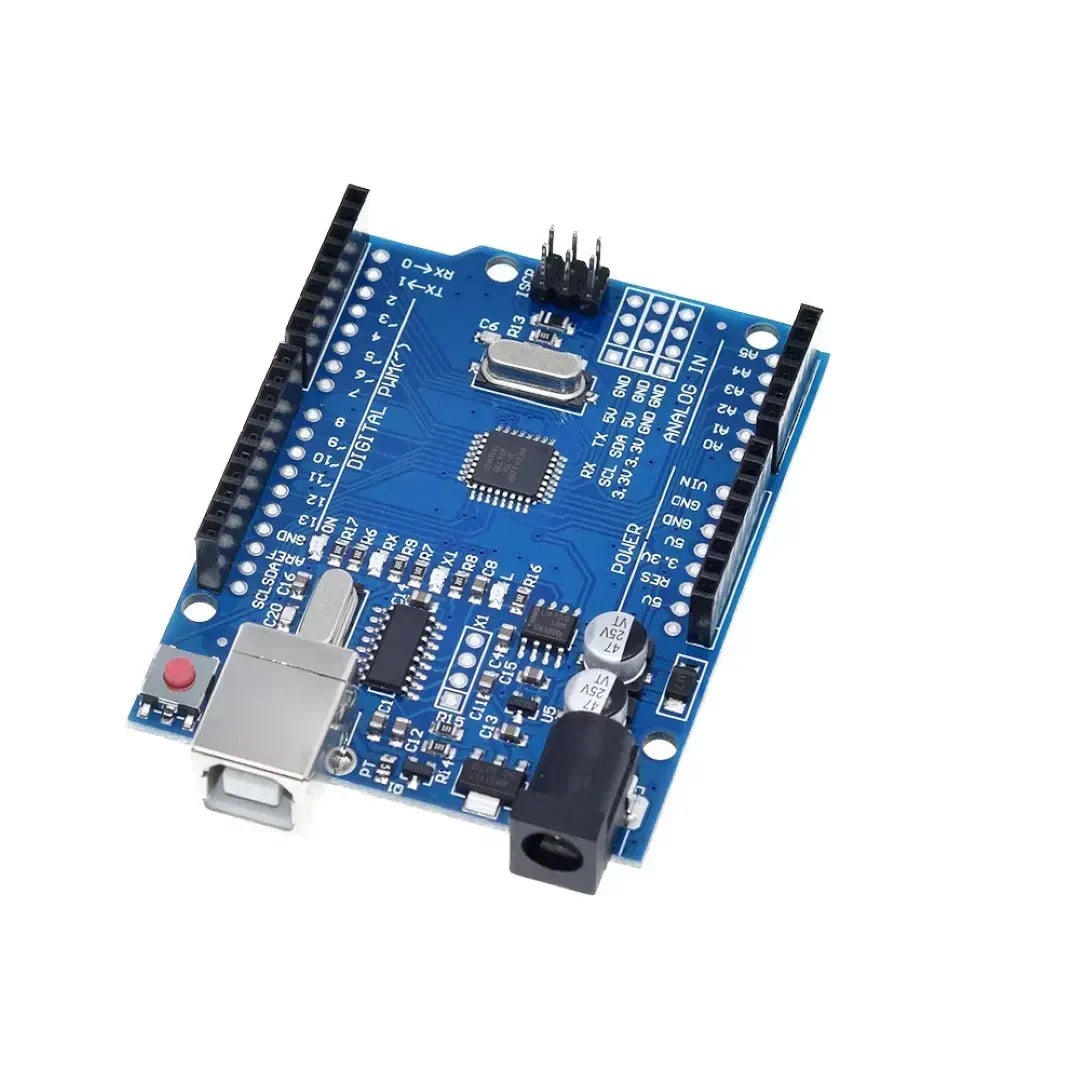
Arduino编程用途 控制结构 例如 如果是,while和switch case 在草图中控制决策和循环。这些结构允许 Arduino 响应条件,重复任务并根据输入执行不同的代码块。
1。if语句(有条件执行)
这 如果语句 用于执行代码块 只有满足指定条件.
句法
if (condition) {
   // Code to execute if condition is true
}
示例:根据按钮按下按钮打开LED
const int buttonPin = 2;  // Button connected to pin 2
const int ledPin = 13;    // LED connected to pin 13

void setup() {
    pinMode(buttonPin, INPUT);
    pinMode(ledPin, OUTPUT);
}

void loop() {
    int buttonState = digitalRead(buttonPin);  // Read button state

    if (buttonState == HIGH) {
        digitalWrite(ledPin, HIGH); // Turn LED on if button is pressed
    } else {
        digitalWrite(ledPin, LOW);  // Turn LED off otherwise
    }
}
if-else语句
if (temperature > 30) {
    Serial.println("It's too hot!");
} else {
    Serial.println("Temperature is normal.");
}
如果else if语句
if (temperature > 30) {
    Serial.println("It's too hot!");
} else if (temperature < 10) {
    Serial.println("It's too cold!");
} else {
    Serial.println("Temperature is comfortable.");
}
2。对于循环(重复任务固定数量)
一个 用于循环 运行一个代码 固定数量。通常用于 迭代阵列或控制重复任务.
句法
for (initialization; condition; increment) {
   // Code to execute in each iteration
}
示例:闪烁LED 5次
const int ledPin = 13;

void setup() {
    pinMode(ledPin, OUTPUT);
}

void loop() {
    for (int i = 0; i < 5; i++) { // Loop runs 5 times
        digitalWrite(ledPin, HIGH);  // Turn LED on
        delay(500);  // Wait 500 ms
        digitalWrite(ledPin, LOW);   // Turn LED off
        delay(500);
    }
    delay(2000); // Pause before repeating
}
示例:通过数组运行
int numbers[] = {1, 2, 3, 4, 5};

void setup() {
    Serial.begin(9600);
}

void loop() {
    for (int i = 0; i < 5; i++) {
        Serial.println(numbers[i]);  // Print each number in the array
    }
    delay(2000);
}
3。循环(重复直到满足条件)
一个 循环 运行一个代码 只要指定条件保持真实.
句法
while (condition) {
   // Code to execute while the condition is true
}
示例:等待按钮按
const int buttonPin = 2;

void setup() {
    pinMode(buttonPin, INPUT);
    Serial.begin(9600);
}

void loop() {
    Serial.println("Waiting for button press...");

    while (digitalRead(buttonPin) == LOW) {
        // Stay in loop until button is pressed
    }

    Serial.println("Button pressed!");
}
示例:倒数计时器
int count = 10;

void setup() {
    Serial.begin(9600);
}

void loop() {
    while (count > 0) {
        Serial.print("Countdown: ");
        Serial.println(count);
        count--;
        delay(1000);
    }
    Serial.println("Liftoff!");
    delay(5000); // Restart countdown after delay
    count = 10;  // Reset count
}
4。开关情况(有效处理多个条件)
一个 开关案例语句 在何时使用 需要检查多个条件,使其成为替代 如果else if-else 链。
句法
switch (variable) {
    case value1:
        // Code to execute if variable == value1
        break;
    case value2:
        // Code to execute if variable == value2
        break;
    default:
        // Code to execute if none of the cases match
}
示例:用旋转开关控制LED
const int ledPin = 13;
int mode = 1;  // Example mode variable

void setup() {
    pinMode(ledPin, OUTPUT);
    Serial.begin(9600);
}

void loop() {
    switch (mode) {
        case 1:
            Serial.println("Mode 1: LED ON");
            digitalWrite(ledPin, HIGH);
            break;
        case 2:
            Serial.println("Mode 2: LED BLINKING");
            digitalWrite(ledPin, HIGH);
            delay(500);
            digitalWrite(ledPin, LOW);
            delay(500);
            break;
        case 3:
            Serial.println("Mode 3: LED OFF");
            digitalWrite(ledPin, LOW);
            break;
        default:
            Serial.println("Invalid Mode");
            break;
    }
}
示例:使用按钮通过模式循环
const int buttonPin = 2;
int mode = 1;

void setup() {
    pinMode(buttonPin, INPUT);
    Serial.begin(9600);
}

void loop() {
    if (digitalRead(buttonPin) == HIGH) {
        mode++;
        if (mode > 3) mode = 1;  // Reset mode to 1 if it exceeds 3
        delay(500);  // Debounce delay
    }

    switch (mode) {
        case 1:
            Serial.println("Mode 1: Low Power Mode");
            break;
        case 2:
            Serial.println("Mode 2: Normal Mode");
            break;
        case 3:
            Serial.println("Mode 3: High Performance Mode");
            break;
        default:
            Serial.println("Invalid Mode");
            break;
    }
}
结论
- 如果语句 允许根据传感器读数或按钮按下有条件执行。
- 用于循环 对于具有已知计数的重复任务很有用,例如闪烁的LED。
- 循环 连续执行代码,直到满足特定条件为止。
- 开关案例语句 有效处理多个条件时,简化决策。
这些结构 增强Arduino编程 通过使管理循环,条件和设备控制更容易。 🚀















































1 评论
If Arduino programming leverages fundamental control structures—**`if`, *`for`, *`while`, and *`switch`/`case`—not as abstract syntax, but as real-time mechanisms to interpret sensor data, drive actuators, and respond dynamically to the physical world, then how might this reflect the essence of embedded computing? Unlike desktop programs that process static data, an Arduino sketch lives in constant dialogue with its environment: a `while` loop may wait for a button press, an `if` statement might trigger an LED at a temperature threshold, and a `for` loop could choreograph a servo sweep. These structures become the *nervous system** of a physical device—translating logic into action, turning code into behavior, and revealing that even the simplest control flow can animate matter when coupled with hardware. In this context, programming isn’t just about algorithms; it’s about embodied decision-making, where every conditional and loop shapes how a machine perceives and acts upon reality.
dte